
How to set up an ergonomic sit-stand workstation
An ergonomic sit-stand workstation prevents back and neck strain and keeps performance steady through the day. This guide explains the correct desk height to DIN EN 527, how to split the reach zone into three areas and lighting with 500 lux to DIN EN 12464-1.
View workstation equipmentWhat desk height is right for sitting and standing?
Desk height depends on body size and posture. To DIN EN 527‑1 a height-adjustable sit-stand desk covers roughly 65 to 125 cm, so one person can use the surface both seated and standing.
As a rule of thumb the upper and lower arm form about a 90° angle when seated, the forearms rest lightly on the tabletop and the shoulders stay relaxed. When standing, set the surface so the elbows again form roughly 90° and the gaze falls slightly downward onto the work area.

How do you divide the reach zone sensibly?
The reach zone is the area the hands can cover without twisting the torso. It is split into three areas so that frequently used tools and parts stay within grasp without stretching.
- Zone A (inner reach, approx. 0‑35 cm): daily tools, keyboard and parts in progress.
- Zone B (extended reach, approx. 35‑45 cm): less frequent aids and documents within a bent arm.
- Zone C (outer reach, approx. 45‑60 cm): rarely needed items, only with an extended arm.
- Always place frequently used parts in Zone A and centred in front of the body.
The inner reach forms a semicircle of about 35 cm radius in front of the body. Anything used several times an hour belongs here. Screen and reference documents sit at a viewing distance of about 50 to 70 cm, with the top line of the display at or just below eye level.
How much light does the workstation need?
Lighting drives visual comfort and error rates. To DIN EN 12464‑1 office and assembly workplaces need at least 500 lux on the work surface, and 750 to 1000 lux for fine inspection or testing tasks.
Light should be even and as glare-free as possible. Place a task light offset to the side so the hand casts no shadow on the work. A colour rendering index above 80 and a neutral white light colour around 4000 K support fatigue-free vision.
Why does switching between sitting and standing matter?
The biggest benefit of a sit-stand workstation is the change of posture. Not standing alone but the regular switch relieves the discs, muscles and circulation.
- As a guide roughly 60 % sitting, 30 % standing and 10 % walking or moving across the working day.
- Change posture every 20 to 30 minutes rather than staying in one position for hours.
- Use an anti-fatigue mat when standing to relieve the legs.
- A footrest and seat wedge help keep an upright pelvis while seated.
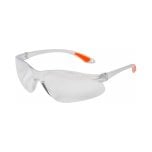 PPE and workplace safety
From hearing protection to safety glasses - the right kit for every workstation.
Read the guideFrequently asked questions
How high should a standing desk be set?
So the elbows form about 90° when standing and the forearms rest horizontally on the surface. As an approximation use elbow height minus about 5 cm for normal work.
How often should you switch between sitting and standing?
About every 20 to 30 minutes. A proven ratio across the day is roughly 60 % sitting, 30 % standing and 10 % movement.
How much light does a workstation need?
To DIN EN 12464‑1 at least 500 lux for office and assembly work, and 750 to 1000 lux for fine inspection or assembly, even and glare-free.
What is the reach zone?
The area the hands can cover without twisting the torso. Frequently used parts belong in the inner reach of about 35 cm radius in front of the body.
Fitting out a workstation ergonomically?
We supply height-adjustable desks, task lights, anti-fatigue mats and accessories for the ergonomic sit-stand workstation.
Standards-based
Equipment to DIN EN 527 and DIN EN 12464-1.
Ergonomically sound
Heights, zones and light matched to the person.
All from one source
Desk, chair, light and accessories combined to fit.
Selection help
We help you choose the right products; technical details are clarified with the manufacturer.