
Sit-Stand Workstation Setup - When Is It Worth It?
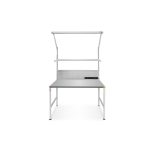
A sit-stand workstation reduces one-sided strain through regular posture changes. This guide shows when the investment pays off and how to set working height, the sit-stand rhythm and accessories such as a standing aid, anti-fatigue mat and footrest correctly.
View workstationsWhen is a sit-stand workstation worth it?
A sit-stand workstation pays off wherever people work several hours in the same spot - in assembly, inspection, packing and the lab. Alternating between sitting and standing relieves the discs, boosts circulation and helps prevent back complaints.
Purely static sitting loads the spinal discs continuously, while permanent standing strains veins and joints. The answer is not one or the other but a planned change. Occupational physicians recommend a standing share of roughly 2 to 4 hours spread across the working day.
- Assembly and inspection stations with long dwell time at one spot.
- Tasks that alternate between force and fine motor work.
- Multi-shift or job-rotation stations that must fit many body sizes.
- Areas with documented back or vein complaints in the team.
How do you set the correct working height?
The correct working height depends on body size and, above all, on the task. The reference point is the relaxed elbow height while standing, not the tabletop itself. DIN EN ISO 14738 links the height to viewing distance and the force required.
- Forearms roughly horizontal when standing, shoulders loose and not raised.
- Screen top edge at or just below eye level, viewing distance 50‑70 cm.
- Set fine work slightly higher so the back stays straight and the eyes are close enough.
Which rhythm and which accessories?
The best rhythm is the one that suits the task and is actually followed. Changing posture roughly every 60 to 90 minutes, or tying the change to natural points such as batch ends or breaks, works well. Regularity matters more than the exact minute.
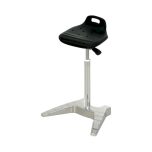
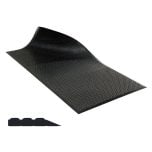
For standing to stay comfortable over time, the right accessories are decisive. An anti-fatigue mat cushions the floor and activates the calf muscles, a standing aid allows a half-seated relief, and a footrest improves leg angle while sitting.
Frequently asked questions
How long should you stand per day?
Occupational physicians recommend roughly 2 to 4 hours of standing spread across the day, not in one block. The key is regular alternation between sitting, standing and movement.
What height should I set the standing desk to?
The reference is elbow height while standing. For fine work about 5 to 10 cm above it (roughly 105‑118 cm), for force-heavy work clearly below. Keep the shoulders relaxed.
Do I need an anti-fatigue mat?
Yes, as soon as you stand for longer on a hard floor. It cushions the surface, activates the calf muscles and clearly reduces fatigue in legs and back.
Is an electric height-adjustable desk worth it?
For stations with long dwell time or changing users, yes. Memory buttons make the change fast and lower the barrier, so the adjustment is actually used.
Setting up a sit-stand workstation?
We supply height-adjustable desks, standing aids, anti-fatigue mats and footrests - ergonomically matched to DIN EN ISO 14738.
Ergonomics by standard
Working heights aligned with DIN EN ISO 14738.
Fewer complaints
Posture change relieves back and legs.
Fully equipped
Desk, standing aid, mat and footrest from one source.
Selection help
We help you choose the right products; technical details are clarified with the manufacturer.