Partner brandMade in Germany
cab - marking technology and PCB depanelling from Germany
Precise marking and reliable PCB depanelling - made in Germany.
cab is a German manufacturer of labelling and marking technology. Its portfolio covers industrial label printers, print-and-apply systems, labelling machines, label material and marking lasers for production and logistics.
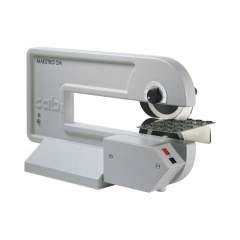
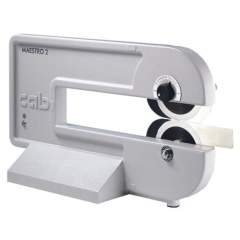
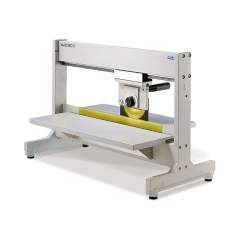
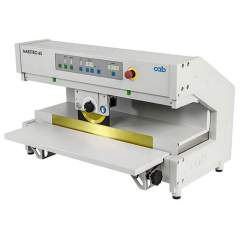
In this shop you will find the cab Maestro range for PCB depanelling. The Maestro 6 and 4S depanelling machines separate assembled printed circuit boards gently, with cut-off lengths up to 1500 mm and a choice of standard or aluminium set-up.
 Made in GermanyDeveloped and built in Germany for consistent quality and durable machines.
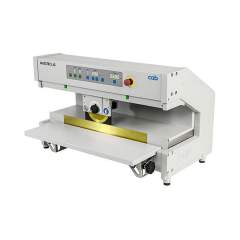 Precise depanellingThe Maestro machines separate PCBs gently and with repeatable accuracy.
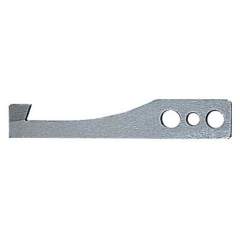 Service and spare partsWe support you with selection, commissioning and spare-part supply for your cab equipment.
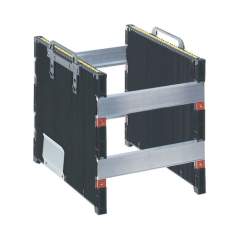 Industrial procurementReliable supply for production and logistics, including accessories and consumables.
cab product lines
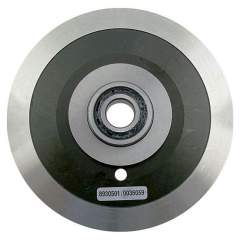
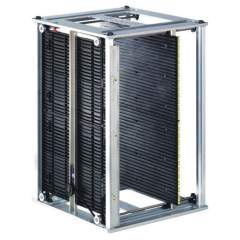
Maestro 6
cab 8936745. Maestro 4S/600 depanelling machine, cutting length up to 600 mm
View product →
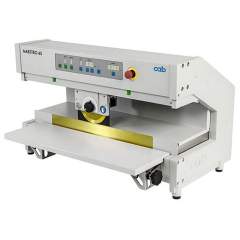 cab 8936745520. PCB Separator Maestro 4S/600 Alu set-up, cut-off length 600 mm
View product →
cab 8936800520. Maestro 4S/450 depanelling machine, aluminium set-up, cutting length up to 450 mm
View product →
cab 8936745520. PCB Separator Maestro 4S/600 Alu set-up, cut-off length 600 mm
View product →
cab 8936800520. Maestro 4S/450 depanelling machine, aluminium set-up, cutting length up to 450 mm
View product →
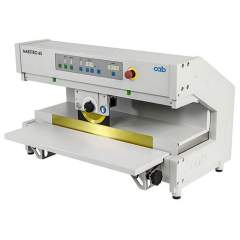 cab 8936800. Maestro 4S/450 depaneling machine, cutting length up to 450 mm
View product →
cab 8936800. Maestro 4S/450 depaneling machine, cutting length up to 450 mm
View product →
Choosing the right cab depanelling machine
What does a depanelling machine do?
After assembly, circuit boards are often produced as a panel and then separated. A depanelling machine mechanically releases the individual boards from the panel without stressing components or solder joints through bending forces.
Series 6 or 4S?
The choice depends mainly on the required cut-off length and panel size:
- Maestro 6 - for larger panels, with cut-off lengths up to 1500 mm.
- Maestro 4S - compact, for cut-off lengths up to 600 mm and tight workspaces.
Standard or aluminium set-up?
Besides the standard version, many Maestro models are available with an aluminium set-up, using an aluminium fixture to hold the panels. Which version fits depends on your boards and production environment.
Integrating into production
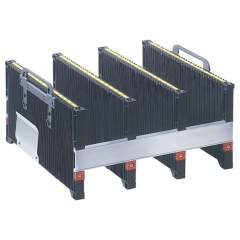
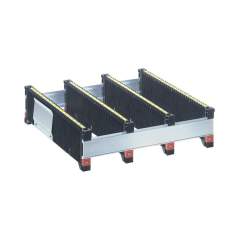
When selecting a machine, consider the available floor space, the panel format and the planned volumes. Suitable magazine accessories make handling and material flow easier.
Maestro 6 or Maestro 4S?
| Criterion | Maestro 6 | Maestro 4S |
|---|---|---|
| Positioning | High-capacity series | Compact series |
| Max. cut-off length | up to 1500 mm | up to 600 mm |
| Panel size | larger panels | small to medium panels |
| Footprint | larger | compact |
| Set-up options | Standard and aluminium set-up | Standard and aluminium set-up |
| Typical use | Series production of large boards | Tight production workspaces |
cab at a glance
Frequently asked questions about cab
What is cab?
cab is a German manufacturer of labelling and marking technology, including industrial label printers, print-and-apply systems, labelling machines, label material and marking lasers. This shop offers the cab Maestro range for PCB depanelling.
What is a cab Maestro machine used for?
A Maestro machine separates assembled printed circuit boards from a panel. The process is gentle, so components and solder joints are not stressed by bending forces.
Which Maestro series are available?
Two series are offered: Maestro 6 and Maestro 4S. Series 6 handles larger panels with cut-off lengths up to 1500 mm, while the compact series 4S covers cut-off lengths up to 600 mm.
What does the aluminium set-up version mean?
Aluminium set-up refers to a Maestro version with an aluminium fixture to hold the panels. It is available on many models in addition to the standard version.
Is cab a German manufacturer and is support available?
Yes, cab develops and manufactures in Germany. We help you choose the right Maestro version and support you with commissioning, accessories and spare parts.
Need advice or a professional quote?
Our team helps you select, configure and source the right cab Maestro solution. Contact us by email.