
Drag soldering fine-pitch QFP and SOIC - how is it done?
In drag soldering you pull a loaded chisel tip across a whole row of pins and let flux and surface tension do the work. This guide covers the hand technique for fine-pitch QFP and SOIC: tip choice, temperature, flux, the drag itself and removing bridges with desoldering braid.
View soldering toolsContents
What is drag soldering and when does it fit?
Drag soldering is a hand technique for parts with many closely spaced leads, such as QFP, TQFP and SOIC. Instead of soldering each pin on its own, you load a wide chisel tip with a little solder and pull it evenly across an entire row of leads under plenty of flux.
The flux cleans the surfaces and lowers surface tension, so the solder stays only where metal meets metal - at the pad and the pin. The tip carries excess tin along; bridges do form, but you remove them deliberately at the end with desoldering braid.
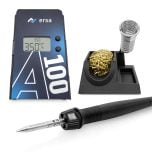
Which tip, temperature and flux do you need?
The keys are a wide, well-wetting chisel or mini-wave tip, a stable temperature and liquid flux. For lead-free solder (SAC305), 330 to 360 °C is common; for leaded Sn63Pb37, 300 to 330 °C is enough.
- Re-tin the chisel tip before every pass so a small solder wave forms.
- Apply flux generously to every pin in the row - do not skimp.
- Keep desoldering braid 1.5‑2.5 mm wide ready for clearing bridges.
- Align the part exactly first and tack two diagonal corners.
How does the drag work step by step?
Success comes from the order: first align and tack, then flux, then drag. With clean preparation each row needs only a few seconds of contact.
- Align: place the part exactly on the pads under a loupe or microscope, every pin centred.
- Tack: solder two diagonal corner pins so the part can no longer shift.
- Flux: wet the row to be soldered generously with liquid flux.
- Load the tip: re-tin the chisel, a small solder meniscus on the edge.
- Drag: set the tip flat and pull it slowly and evenly across the row - solder flows onto every pad.
- Inspect: check under magnification for bridges, skips and wetted menisci.
How do you clear bridges with desoldering braid?
Bridges between two or more pins are part of drag soldering and are not a fault as long as you clear them cleanly. The tool is desoldering braid (copper wick) with fresh flux.
- Add a little flux to the bridge and a short piece of braid.
- Lay the braid on the bridge and press the chisel tip firmly onto it.
- Let the heat soak through until the excess solder wicks into the braid.
- Lift the braid with the solder while it is still hot - never tear it off cold.
- Cut off the saturated end and continue with clean braid.
Finish by inspecting every row under magnification: no pin without solder, no remaining bridge, no cold joint with dull or balled-up tin. A slightly concave, shiny meniscus signals a good connection.
Frequently asked questions
Why do bridges form in drag soldering?
Because the tip deliberately drags some solder across the whole row. Excess hangs between closely spaced pins. This is normal and is removed at the end with desoldering braid.
What temperature is right for drag soldering?
For lead-free SAC305, usually 330 to 360 °C; for leaded Sn63Pb37, around 300 to 330 °C. A stable control loop and a well-wetted tip matter more than the last degree.
How much flux do I need?
Much more than for single-pin soldering. Apply liquid no-clean flux generously to the whole row, otherwise solder flow breaks off and you get skips instead of clean menisci.
Does drag soldering work at 0.4 mm pitch?
Yes, but it is demanding. You need plenty of flux, a narrower freshly tinned tip, a steady hand and magnification. At the finest pitch many prefer hot air and paste.
Looking for drag soldering gear?
We supply chisel tips, no-clean flux, desoldering braid and ESD-safe stations for clean fine-pitch hand soldering.
Precisely controlled
Stations with stable temperature for fine-pitch.
Matching tips
Chisel and mini-wave tips made for the drag.
ESD-safe
Tools and bench meeting ESD requirements.
Selection help
We help you choose the right products; technical details are clarified with the manufacturer.